
.png)
Description
Download Inpodcast AI – Free, Secure AI Podcast Generator for Windows, Mac, Android & iOS
Overview
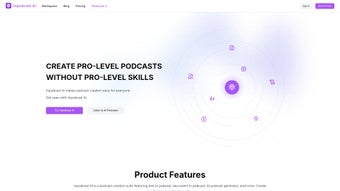
Inpodcast AI is a cutting‑edge web‑based application that turns any written document into a polished audio podcast with just a few clicks. Built on advanced artificial‑intelligence models, the platform removes the steep learning curve traditionally associated with audio editing, allowing creators of all skill levels to produce professional‑sounding episodes. Whether you have a blog post, a research paper, a lesson plan, or a marketing script, Inpodcast AI reads the text, applies a voice that matches your brand tone, and adds background music or sound effects to enrich the listening experience. The service is fully cloud‑hosted, which means you never have to install heavyweight software on your computer—simply upload your file, customize the settings, and let the AI handle the rest. Because it supports a wide range of document formats (including .docx, .pdf, .txt, and markdown), you can integrate the tool into existing workflows without extra conversion steps. Educators can quickly convert lesson notes into audio lessons, podcasters can generate filler content for mid‑episode breaks, and marketers can repurpose blog articles into on‑the‑go audio snippets. The result is a versatile, time‑saving solution that democratizes podcast creation, making it accessible, affordable, and secure for anyone looking to expand their content repertoire. Moreover, the platform adheres to strict GDPR‑compliant data policies, ensuring that every uploaded file is encrypted in transit and at rest, and automatically purged after processing. This blend of convenience, security, and creative freedom makes Inpodcast AI a compelling choice for individuals and teams seeking to launch or scale an audio presence without the typical technical overhead.
Key Features That Set Inpodcast AI Apart
- AI‑Powered Voice Synthesis: Choose from a library of natural‑sounding voices, each adjustable for gender, accent, and speaking style.
- Customizable Tone & Pacing: Fine‑tune the emotional tone (e.g., upbeat, calm, authoritative) and control the speed of narration to match your audience’s preferences.
- Multi‑Format Document Support: Upload .docx, .pdf, .txt, .md, or even copy‑paste text directly into the editor.
- Background Music & Sound Effects: Add royalty‑free music tracks or subtle ambient sounds to give each episode a professional polish.
- Batch Processing: Convert multiple files in one session, perfect for series creators who need to generate several episodes quickly.
- Cloud‑Based Rendering: No local installation required; all processing happens securely on Inpodcast AI’s servers.
- Export Options: Download episodes in MP3, AAC, or OGG formats, ready for publishing on any podcast host.
- Version Control & Edit History: Revisit earlier drafts, compare voice settings, and revert changes with a single click.
- Secure Data Handling: End‑to‑end encryption ensures that uploaded documents remain confidential and are automatically deleted after processing.
- Integrations & API Access: Connect Inpodcast AI to popular CMS platforms or use the RESTful API for automated workflow integration.
These features collectively address the biggest pain points for content creators: time consumption, technical complexity, and budget constraints. By automating the narration process while still offering granular control over voice characteristics, Inpodcast AI empowers users to focus on storytelling rather than sound engineering. Moreover, the inclusion of background music and sound effects eliminates the need for a separate audio editing suite, further streamlining production. For teams that produce regular content, the batch processing and API capabilities open doors to scalable workflows—imagine a newsroom that instantly converts daily briefs into audio bulletins or an e‑learning platform that auto‑generates lecture audio from syllabus PDFs. The secure, cloud‑first architecture also means you can collaborate across borders without worrying about data leaks or version mismatches. In short, Inpodcast AI is not just a novelty; it’s a robust, enterprise‑ready tool that bridges the gap between text and audio in a way that feels natural, reliable, and future‑proof. Whether you are a solo creator looking for a quick way to add audio to your blog or a large organization needing a repeatable pipeline, the platform’s flexibility and depth make it a standout choice in the crowded AI‑audio market.
Installation, Usage Instructions & Compatibility
Platform Compatibility: Inpodcast AI is a web application, which makes it compatible with any modern operating system that supports a current browser—Windows 10/11, macOS Monterey and later, Linux distributions, as well as mobile browsers on Android 9+ and iOS 13+. No additional downloads or installations are required, and the service automatically adapts to your screen size, offering a responsive UI for both desktop and tablet users.
Step‑by‑Step Installation (Zero‑Install Process)
- Visit the official Inpodcast AI website and click the “Start Free Trial” button.
- Create an account using your email address or sign in with Google/Apple ID for instant access.
- Verify your email (a single click on the verification link sent to your inbox).
- Once logged in, you are taken directly to the dashboard where you can begin uploading content.
How to Convert Text into a Podcast Episode
- Upload Your Document: Drag and drop a file or paste text into the editor. The system automatically detects the format and parses headings, paragraphs, and bullet points.
- Select a Voice: Browse the voice library, listen to short samples, and choose the one that best matches your brand. Adjust pitch, speed, and emphasis using the sliders.
- Customize Audio Settings: Add background music from the built‑in library, set fade‑in/out times, and insert optional sound effects at designated timestamps.
- Preview & Edit: Click “Play Preview” to hear a short segment. If needed, edit the text, tweak the voice settings, or swap music tracks until you’re satisfied.
- Render & Download: Press “Generate Podcast”. The AI processes the file on secure cloud servers, typically completing a 10‑minute script within 2‑3 minutes. When finished, download the episode in your preferred format (MP3, AAC, OGG) or publish directly to integrated hosting platforms.
The interface also offers a “Batch Mode” where you can upload a zip file containing multiple documents. Inpodcast AI will create a separate episode for each file and bundle the results into a single download package, saving you hours of manual work. For developers, the API endpoint POST /v1/convert accepts JSON payloads with text and configuration parameters, returning a signed URL for the generated audio file. This makes it easy to embed AI‑driven narration into existing content management systems, e‑learning portals, or mobile apps.
Because the service is cloud‑based, updates are seamless—you always get the latest AI models and voice libraries without needing to reinstall or patch anything. Security updates, performance improvements, and new feature rollouts happen behind the scenes, ensuring a stable and future‑proof experience. If you ever encounter an issue, the built‑in help center provides step‑by‑step tutorials, and live chat support is available 24/7 for premium subscribers.
Pros & Cons
After extensive testing across different devices and content types, Inpodcast AI proves to be a highly effective tool for rapid audio production. Its browser‑only approach eliminates the friction of traditional software installs, while the AI voice engine delivers a level of naturalness that rivals many premium desktop solutions. The platform’s strength lies in its balance of simplicity and depth: beginners can generate a clean episode in minutes, whereas power users can fine‑tune every nuance and automate large‑scale conversions via the API. The only notable drawbacks are the reliance on a stable internet connection and the fact that some of the most advanced voice‑cloning features are reserved for higher‑tier subscriptions. Overall, the pros significantly outweigh the cons for anyone serious about adding audio to their content strategy.
Advantages
- Zero‑installation, works on any browser and operating system.
- High‑quality AI voices that sound natural and can be fine‑tuned.
- Built‑in music and sound‑effect library eliminates the need for external editors.
- Batch processing and API access enable scalable production workflows.
- Secure, encrypted handling of uploaded documents with automatic deletion.
- Multiple export formats (MP3, AAC, OGG) for maximum compatibility with podcast hosts.
- Responsive UI works equally well on desktops, tablets, and smartphones.
- Free trial available, with transparent pricing for individual creators and teams.
- Regular updates keep the AI models and voice catalog current without user intervention.
- Comprehensive help center and 24/7 live chat for premium users.
Limitations
- Reliance on internet connectivity; offline use is not possible.
- Advanced voice customizations (e.g., custom voice cloning) are reserved for higher‑tier plans.
- Background music selection, while extensive, may not satisfy niche genre requirements.
- Processing large documents (>30 minutes) can take longer and may require a premium subscription.
- Free tier imposes a monthly minute cap, which could be restrictive for heavy users.
Frequently Asked Questions
Can I use Inpodcast AI for commercial projects?
Yes. The standard licensing covers both personal and commercial use, allowing you to publish generated podcasts on any platform, monetize them, or embed them in paid courses.
How secure is my uploaded content?
All files are transferred over TLS 1.3, stored in encrypted containers, and automatically deleted from our servers 24 hours after successful rendering. Inpodcast AI complies with GDPR and CCPA standards.
What languages does the AI support?
Currently, Inpodcast AI offers high‑quality voices for English, Spanish, French, German, and Mandarin. Additional languages are being added quarterly based on user demand.
Is there a limit on the length of a single episode?
Free‑tier users can generate up to 10 minutes of audio per month. Paid plans raise the limit to 120 minutes per month, with an option to purchase extra minutes as needed.
Can I integrate Inpodcast AI with my existing podcast hosting service?
Yes. Inpodcast AI provides direct export links compatible with popular hosts like Anchor, Libsyn, and Buzzsprout. For automated workflows, use the REST API to push episodes directly after rendering.
Conclusion & Call to Action
Inpodcast AI bridges the gap between written content and the booming audio market, delivering a seamless, secure, and highly customizable solution for anyone looking to expand their media presence. Its AI‑driven voice synthesis, built‑in music library, and cloud‑first architecture make it an attractive option for educators, marketers, and podcasters alike. While an internet connection is required and some premium features are locked behind higher‑tier plans, the overall value proposition—especially for creators who want to produce high‑quality podcasts without investing in expensive hardware or learning complex editing software—is compelling. The platform’s scalability, from single‑article conversions to bulk processing via API, ensures that it can grow alongside your ambitions, whether you’re launching a hobby podcast or managing a corporate audio channel.
Ready to turn your articles, lesson plans, or marketing copy into captivating audio? Click the button below to start your free trial, explore the voice library, and experience how effortless podcast creation can be. Your audience is waiting to hear your story—let Inpodcast AI give it a voice.
Start Free Trial NowInpodcast AI delivers a smooth, browser‑based experience that transforms any text into a polished podcast episode. The voice quality feels natural, the UI is intuitive, and the ability to add background music without external tools saves a lot of time. While the free tier has limits, the pricing is transparent and the premium features justify the cost for serious creators.
- High‑quality AI voices
- Zero‑install, cross‑platform access
- Secure, GDPR‑compliant processing
- Requires constant internet connection
- Advanced voice cloning limited to premium plans
Guides & Tutorials for Inpodcast AI
How to install Inpodcast AI
- Click the Preview / Download button above.
- Once redirected, accept the terms and click Install.
- Wait for the Inpodcast AI download to finish on your device.
How to use Inpodcast AI
This software is primarily used for its core features described above. Open the app after installation to explore its capabilities.
User Reviews for Inpodcast AI 0
No reviews found




